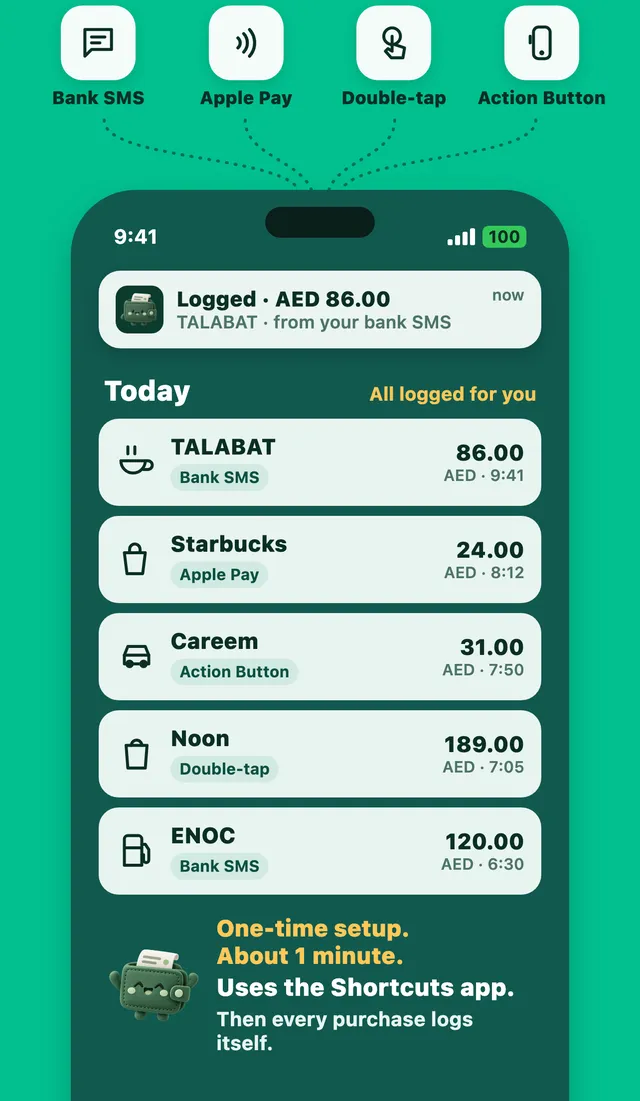
Why it's the easiest way
Some banks only send app notifications, not text messages. This way works with all of them, and with wallets and cards from any country. It also works when you just want to log what is on your screen right now.
Expensly reads every purchase it can see on the screen and never logs the same one twice.
Set it up
- Add the Expensly shortcut with one tap from the app.
- Choose your trigger. Back Tap is in Settings, Accessibility, Touch, Back Tap. On iPhone 15 Pro and newer, you can use the Action Button in Settings, Action Button.
- Pick the Expensly shortcut and try it once with the test in the app.
See what was logged for you
Every expense shows how it got logged: bank SMS, Apple Pay, Action Button, Double tap or Siri. The Auto-log view on Home counts how many purchases were logged for you this month and how much typing you saved.
Questions
Which iPhones have Back Tap?
Does it need my bank to send SMS?
More features
Purchases log themselves
Your bank texts you after every card payment. Expensly turns that text into an expense.
Learn moreLogged the moment you tap
Pay with Apple Pay on your iPhone or Apple Watch and Expensly catches it right away.
Learn moreAndroid: alerts log themselves
Turn on SMS and notification access once. Every bank alert becomes an expense.
Learn moreSave for what you love.
Free to start. Premium has a 7-day free trial.