How it works
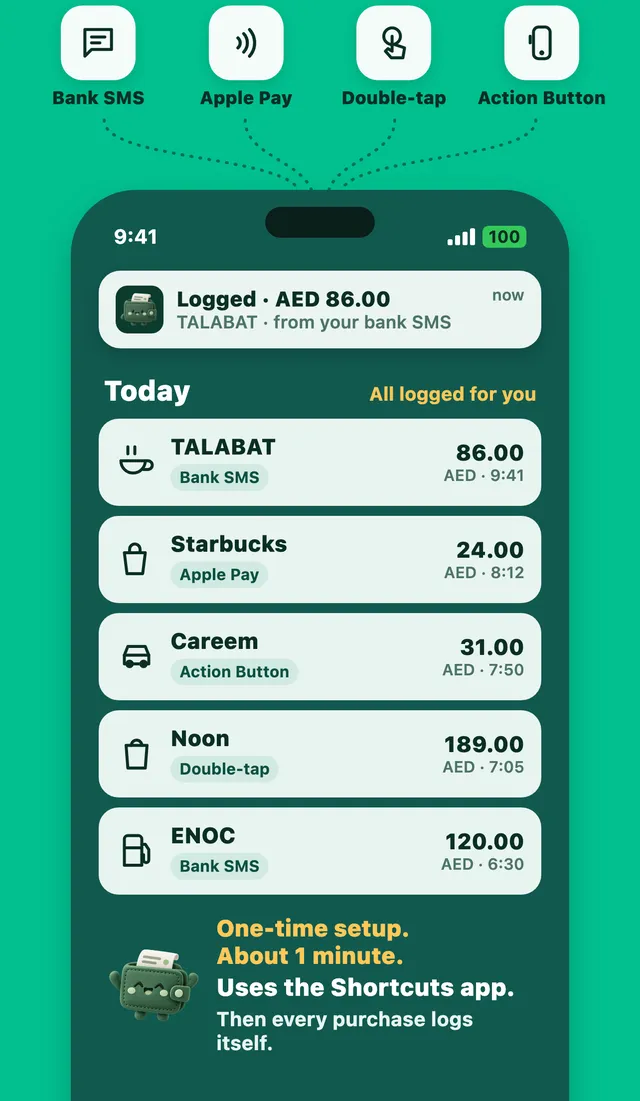
Most banks send a text message after every card payment: the amount, the shop and your balance. Expensly uses that message. An iPhone automation passes each bank text to Expensly, which reads the amount, currency, shop and date, picks a category and adds the expense. Your safe-to-spend number for today updates straight away.
Personal messages are never read. The automation only runs for messages that contain your bank's sender word, and Expensly ignores anything that isn't a purchase alert, such as one-time passcodes and balance updates.
Set it up in three steps
- Add the Expensly shortcut. One tap in the app opens Apple's Shortcuts app. Tap Add Shortcut.
- Turn on "When I get a message". In Shortcuts, open Automation, choose Message and paste your bank's word into Message Contains. Expensly copies the word for you.
- Set it to run right away. Choose Run Immediately, then pick Expensly. A quick test in the app checks that it works.
Stuck on a step? Every step has a short video in the app that shows each tap.
Which banks work?
Any bank that sends a text message for card purchases. Expensly reads the common formats used by banks in the UAE, Saudi Arabia and many other countries, in English and Arabic. If your bank's message isn't read correctly, send it to support@expensly.app and we add it.
No bank login
Expensly never asks for your online banking password and never connects to your bank account. It only reads the purchase alert your bank already sends to your phone.
Questions
Does Expensly read all my text messages?
What if my bank sends notifications from its app instead of SMS?
Is bank SMS auto-log free?
More features
Logged the moment you tap
Pay with Apple Pay on your iPhone or Apple Watch and Expensly catches it right away.
Learn moreOne tap, any bank
After you pay, double-tap the back of your iPhone or press the Action Button. Done.
Learn moreAndroid: alerts log themselves
Turn on SMS and notification access once. Every bank alert becomes an expense.
Learn moreSave for what you love.
Free to start. Premium has a 7-day free trial.