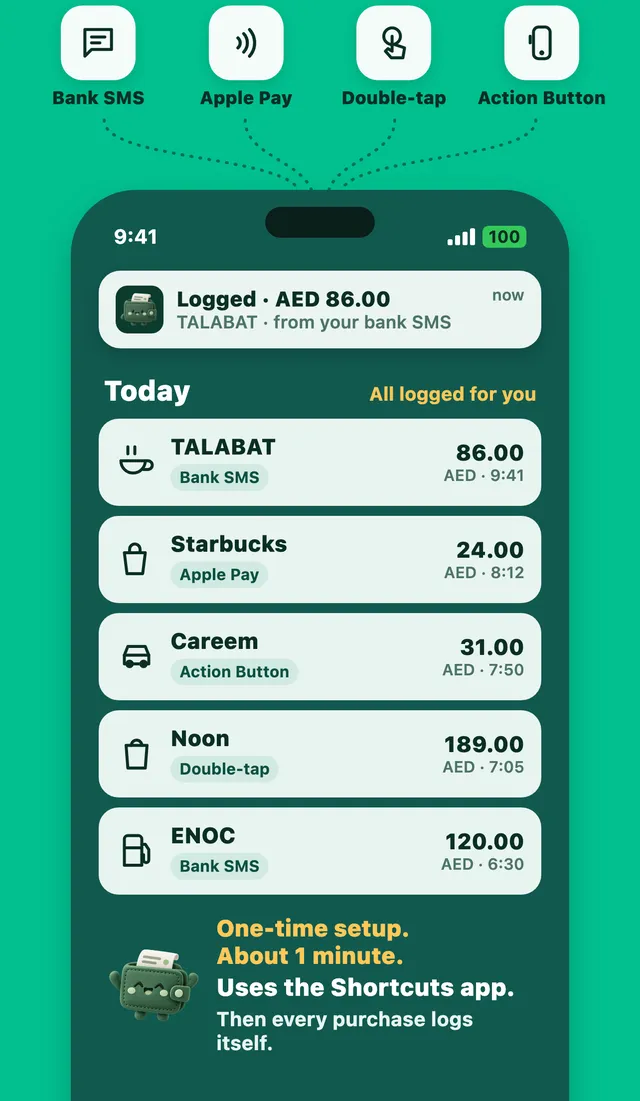
Why automatic tracking matters
Most people who start a budget stop within a few weeks. The reason is rarely the budget itself. It's the typing. Every coffee, taxi and grocery run has to be entered by hand, and after a busy day it doesn't happen. Once a few purchases are missing, the numbers stop being useful.
Automatic tracking fixes that. Your iPhone already knows about most of your purchases: your bank texts you, your banking app sends a notification, or Wallet records an Apple Pay tap. The trick is to pass that to your budget app.
1. Bank SMS (best if your bank texts you)
If your bank sends a text after every card payment, this is the most complete option. An automation in Apple's Shortcuts app sends each bank text to your expense app, which reads the amount and shop. See the step-by-step guide.
2. Apple Pay (best for tap-to-pay)
A Wallet automation runs every time you pay with Apple Pay, on your iPhone or Apple Watch. Your expense app opens with the purchase ready. How Apple Pay logging works.
3. Back Tap (works with any bank)
If your bank only sends app notifications, set Back Tap to run your expense app's shortcut. After you pay, double-tap the back of your phone while the notification is on screen. More about Back Tap.
4. The Action Button (iPhone 15 Pro and newer)
Same idea as Back Tap, using the Action Button on the side of the phone.
Which should you choose?
- Your bank texts you: bank SMS. Nothing to do after setup.
- You mostly use Apple Pay: Apple Pay, plus bank SMS if available.
- Your bank only uses app notifications: Back Tap or the Action Button.
You can use more than one. A good app makes sure the same purchase is never counted twice.
What about cash?
Cash leaves no trace, so it needs a quick manual entry. In Expensly on the App Store that's two taps on the keypad, or type "taxi 30" in the quick chat.